

Where leads get lost
Why leads go unanswered when the whole team answers
First, what a CRM is. Put simply, it's a shared list of every company and person who's contacted you, with everything you've talked about with each one and the next step.
OK, so why did we need one?
Because an owner can message us on WhatsApp today and come back a week later. In between, they might subscribe to our newsletter, request a guide from the site, or book a call on their own.
Now add a team where everyone keeps notes in a different place: one in their phone, one in email, one in a planner.
What happens? Someone gets left without an answer. And worse, nobody notices.
Follow-ups weren't getting lost because nobody wanted to answer. They were getting lost because they depended on someone's memory.
The CRM runs our business in Romania, so its screens are in Romanian, and most of the screenshots below use test data.
What the CRM does
What the CRM does on its own, and what a person does
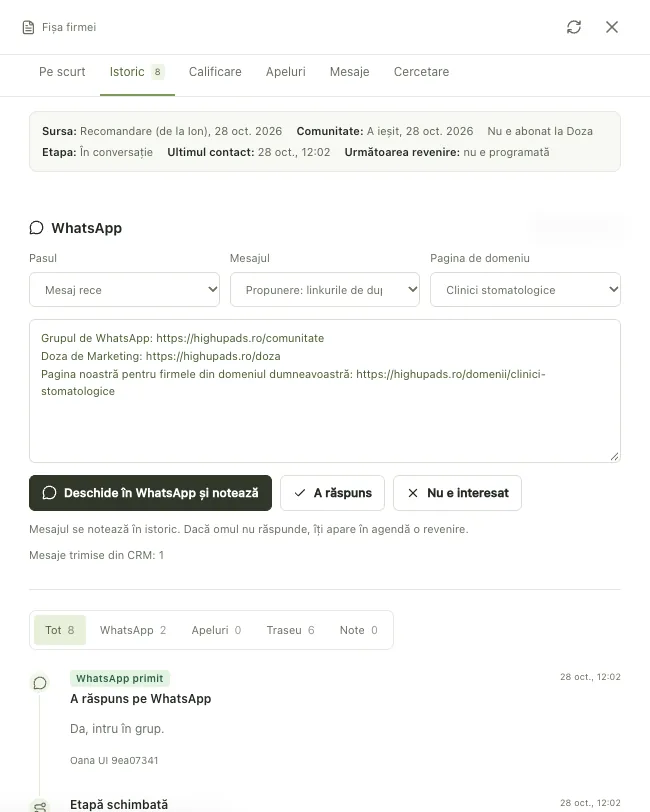
Every company has a record. Anyone on the team who opens it sees who on our team handles it, everything that's been said, where the lead came from, and the next step, with a due date.
From the record, one click opens WhatsApp with the right message for that step and logs it in the history. A person on the team sends the message, because WhatsApp doesn't send itself. But the next follow-up schedules itself, on business days.
And if the person doesn't reply? After the third follow-up with no answer, the record asks: try once more, or move the company to a list for later?
A lead can get into the CRM four ways.
On WhatsApp. The WhatsApp links on the site carry a code. When someone messages us from one, we paste the message into the CRM. The CRM reads the code, finds the company by phone number or creates a record, and notes where the lead came from: the site, social media, the newsletter, or our community. The first contact stays on record as the source.
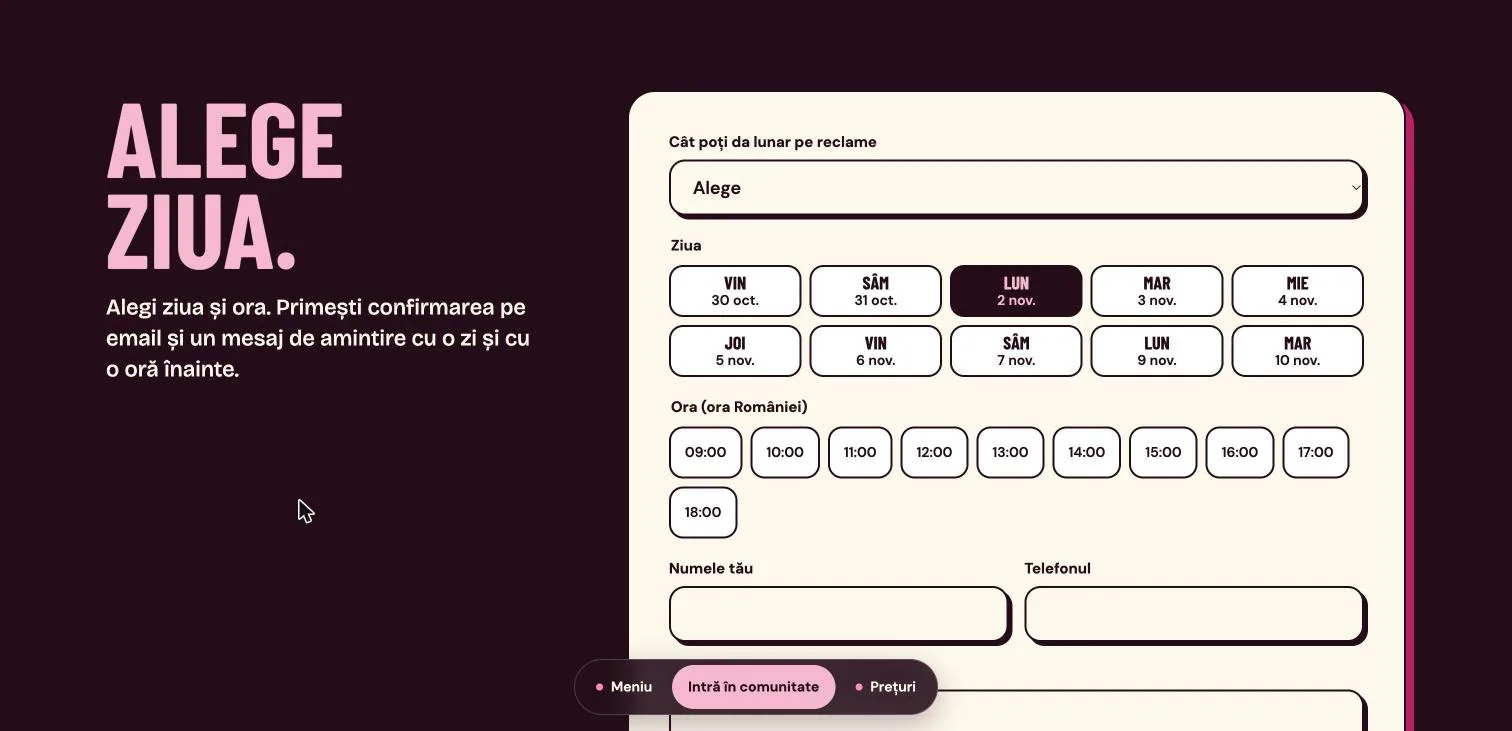
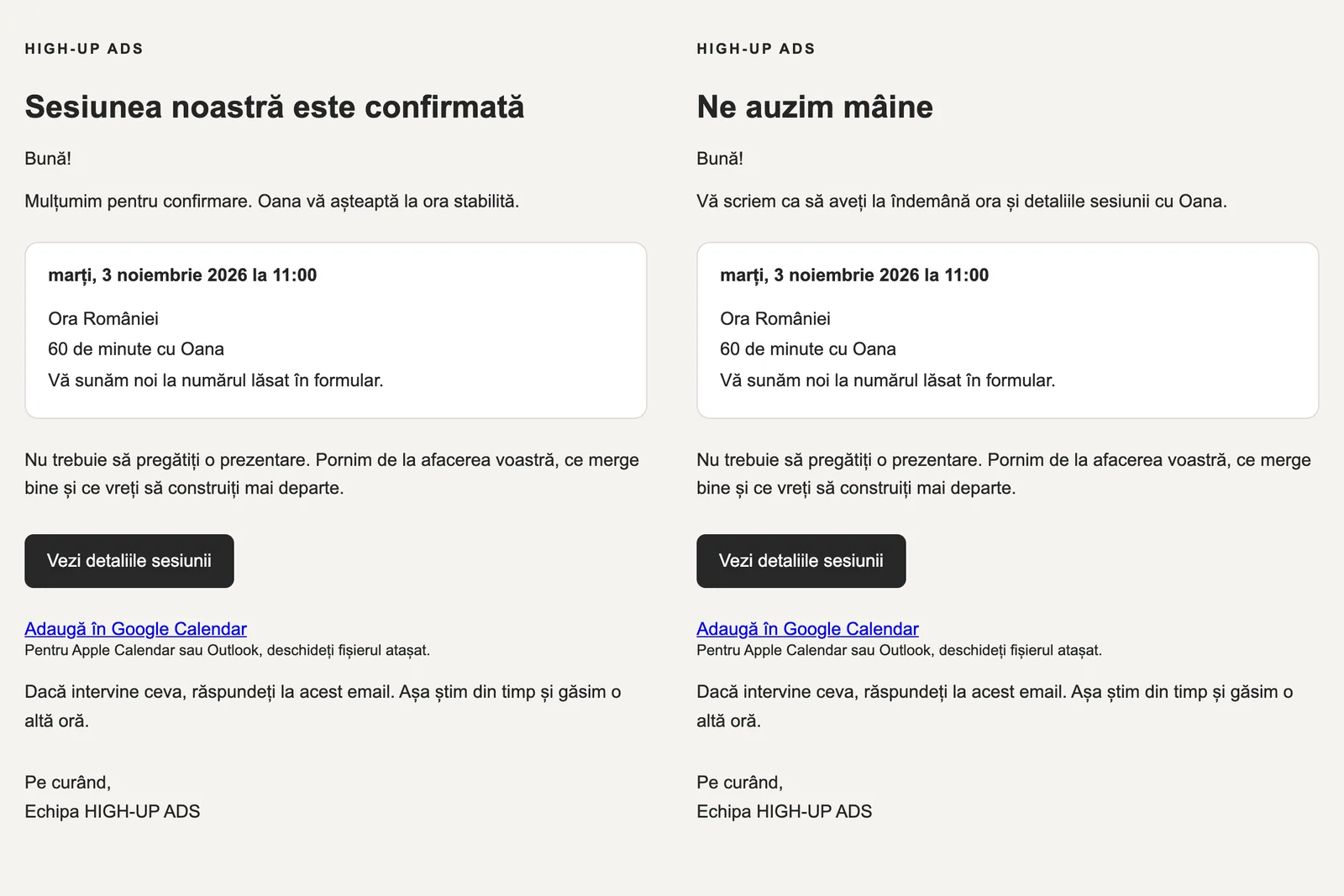
Through booking on the site. The person picks an open time on highupads.ro/sesiune, our booking page in Romanian. The CRM finds the company by phone number or creates a record, puts the call on Oana's calendar, and emails the person a confirmation. Reminders go out on their own, 24 hours and 1 hour before. On the Romanian site, if their ad budget is under €500 a month, the form points them to our community instead.
Through the newsletter. Signing up takes a double opt-in, and the subscription is tied to the person's record by email address.
Through the guides. Anyone who requests a guide on the site downloads it right away and gets it by email too. If they check the consent box, they also get the newsletter plus three tips for their industry, and they can unsubscribe in one click.
Then comes the workday. Everyone on the team has a “Today” list with who to call or follow up with.
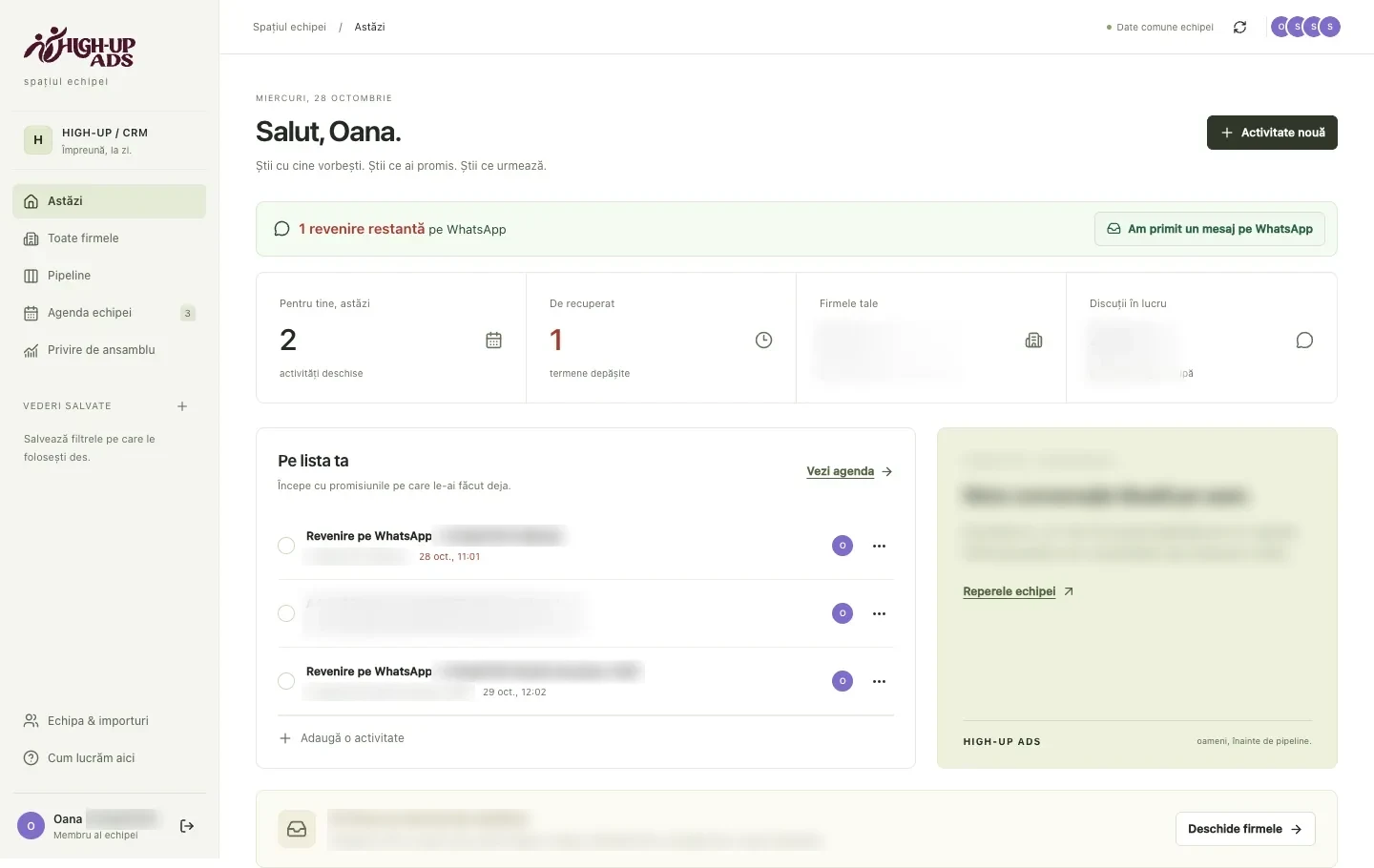
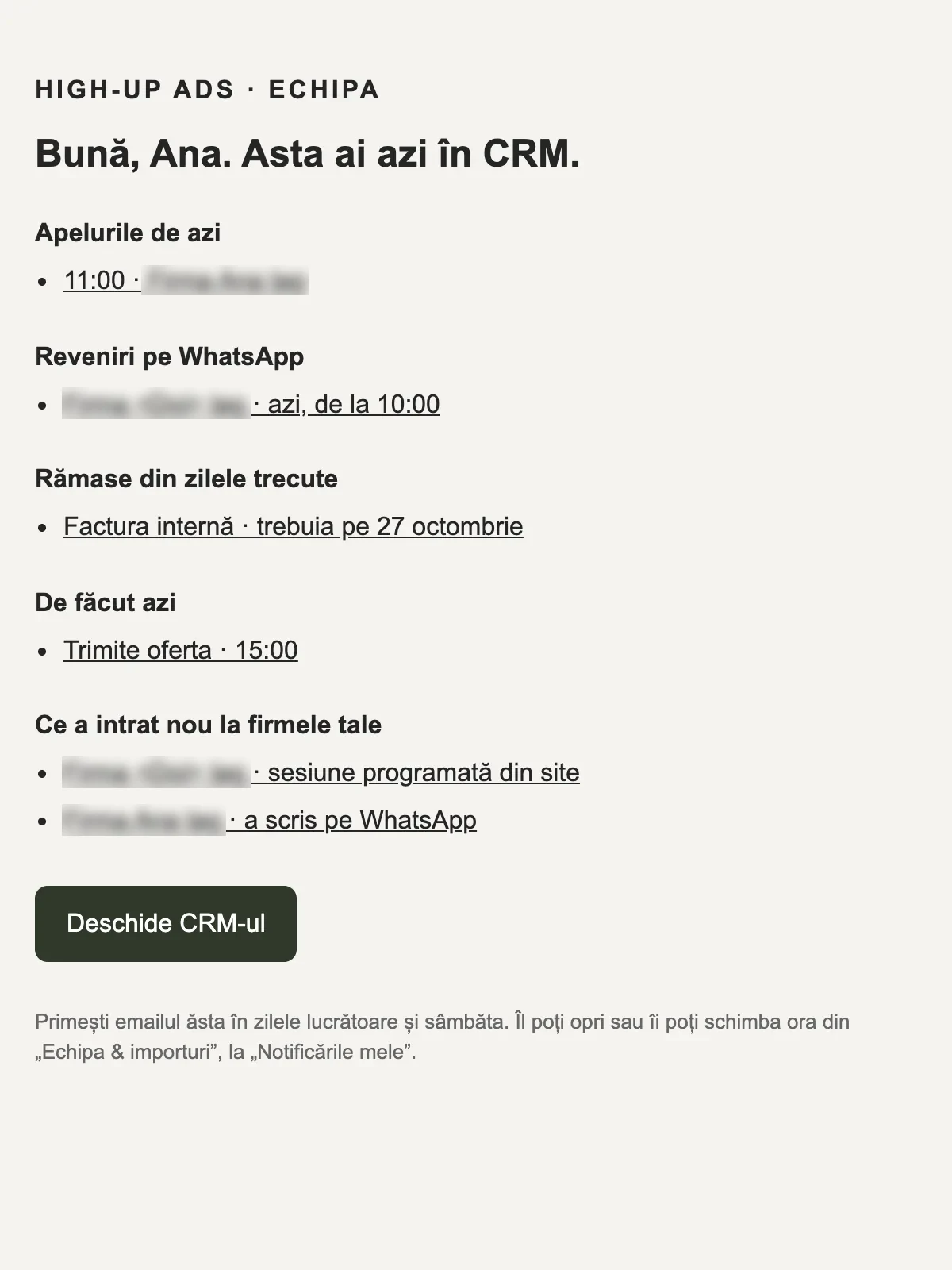
In the morning, each person gets an email summary: their tasks, WhatsApp follow-ups, the day's calls, and what's new.
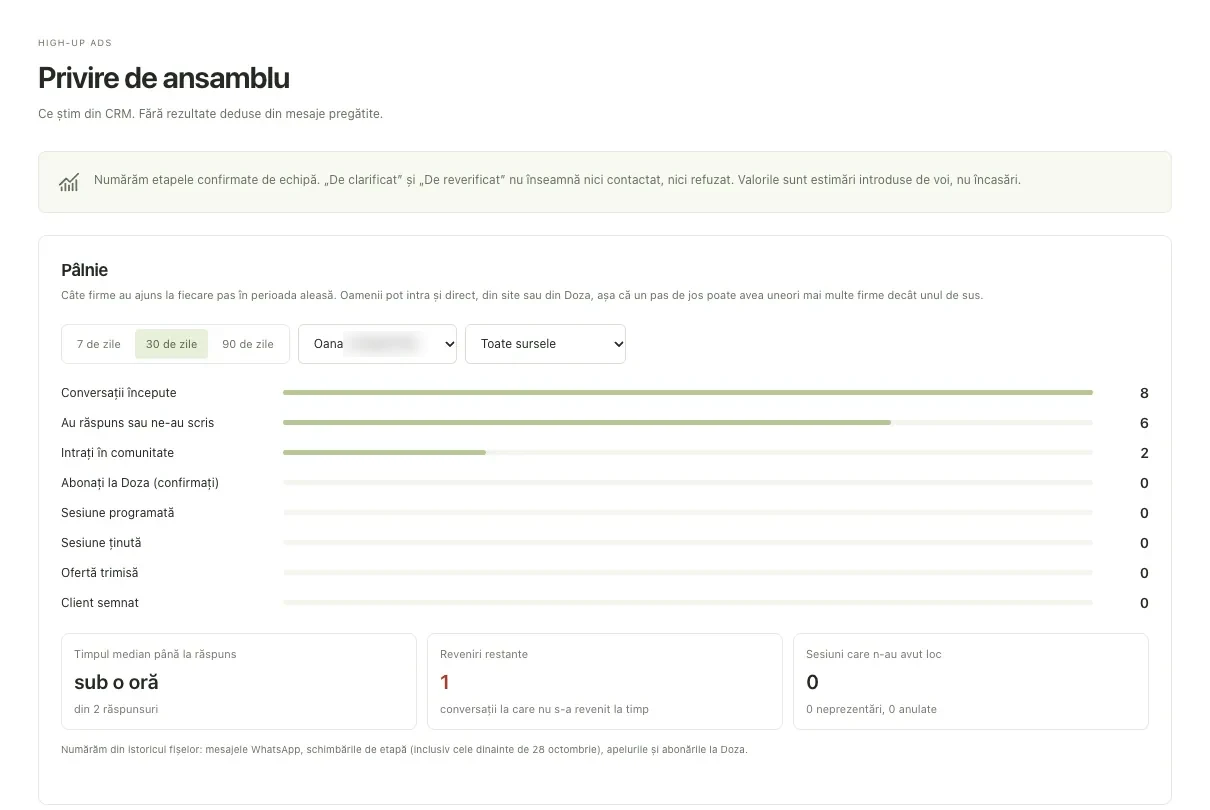
On the stages page, from first message to client, we can see how many conversations missed a follow-up.
Then there's the safety side. Duplicates are checked by website, phone number, and company tax ID. A company marked “Do not contact” can't be contacted from the CRM anymore. A full backup downloads in one click. And every feature gets checked automatically on every change, with 110 tests, so we don't break something without knowing it.
The website, connected to the CRM
How the forms on highupads.ro get into the CRM
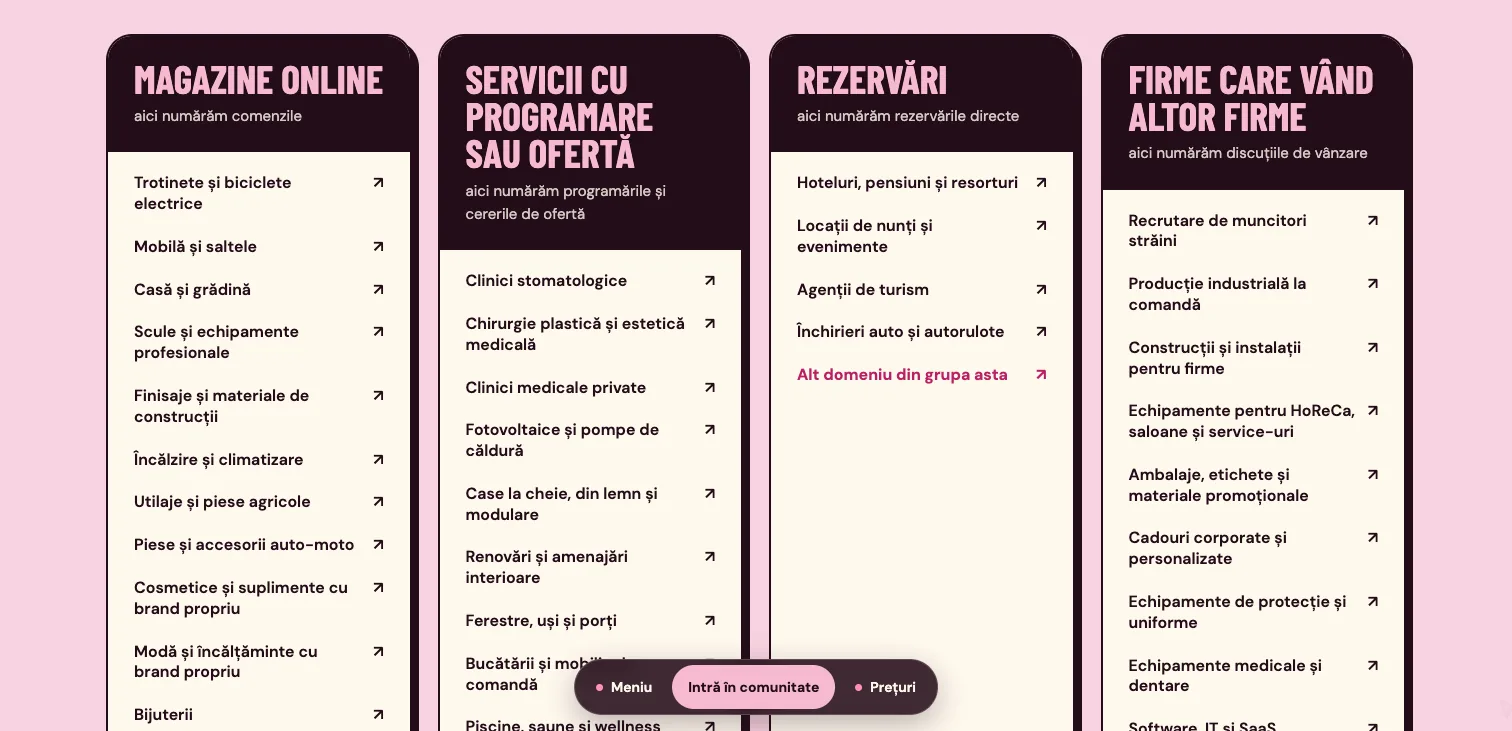
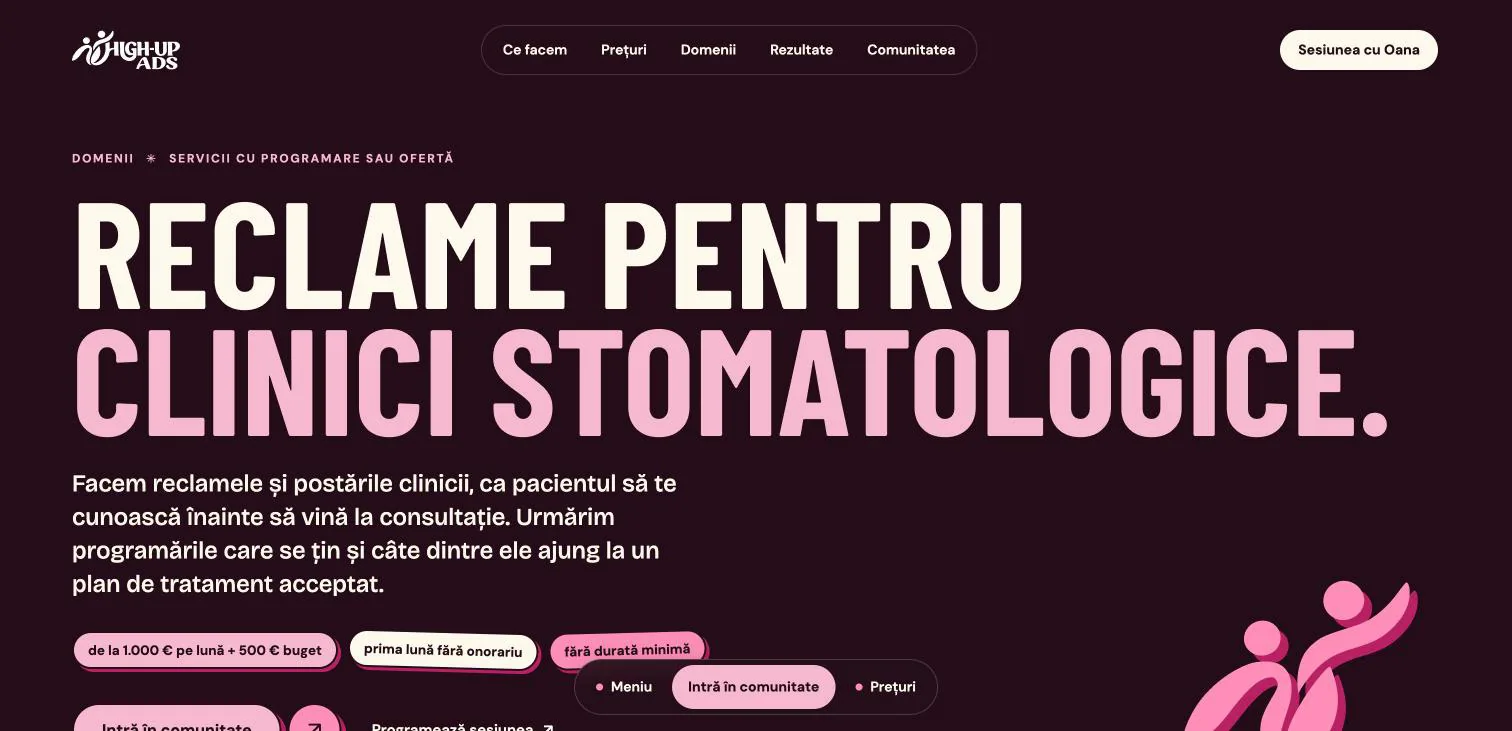
We built highupads.ro ourselves, too. Its pages include 45 for different industries in Romania, from clinics to transportation companies, 6 free guides, our newsletter, and this US version.
The forms on the site, meaning the call booking, the newsletter, and the guides, send the data straight to the CRM, with its source. Nobody copies it by hand from one place to another.
After October 28
What changed after the rebuild, and what didn't
In the first version, from October 1, the CRM held company records, stages, and calls. We set follow-ups by hand, as tasks on the calendar. If someone forgot to add the task, the follow-up didn't exist.
After October 28, scheduled follow-ups show up on their own, on time, in the “Today” list of whoever handles that company. They're in the morning summary too.
We want to be clear about what it doesn't do. It covers the conversations logged in the CRM. A message nobody pastes into the CRM doesn't show up anywhere. And follow-ups schedule themselves, but a person still sends them.
What did we learn? We built the CRM for ourselves first and rebuilt it a month later, once we'd written down how a lead should move from first message to call. Only then did we know what it had to do on its own.
For clients
Four automation projects we built for clients
We do the same kind of work for clients. A few examples, briefly.
The catalog of a cleaning supplies store, in June 2026, in two days. We deleted 769 duplicate products, and the catalog went from 2,393 products to 1,624 unique ones. We filled in 542 titles with the real package size and left 183 without it, where the size couldn't be confirmed. We deleted 98 wrong photos and replaced 944.
A store translated automatically into 19 languages: 85 products and 9 collections, translated through a direct connection to the store's platform, with no copying by hand.
The automation behind a webinar. Anyone who signed up from the trade-specific ads got the emails written for the ad they saw. Confirmed bookings went back into Facebook, so Facebook could learn which ads bring in bookings. The story of the ads is in the webinar case.
A booking app for a travel agency. We built it so travelers picked their trip and their seat on the bus, and the contract and the invoice were generated automatically.
For your business
Write the rule first, then pick the CRM
- Write the rule before you pick the tool. Our first version didn't have follow-ups. Only after we wrote the rule did we know what the CRM had to do on its own.
- Keep the notes in one place. Ask your team where each person keeps their conversations. If the answers are a phone, email, and a planner, that's where leads get lost.
- If you want us to build it, the prices are fixed. CRM setup is $1,290. Simple automation, on WhatsApp or email, is $590. Sales automation is $1,190. You pay half upfront and half on delivery.